scribbling · build
Wiring PostHog into WordPress properly
Consent gating, WooCommerce events, a constrained first-party proxy and PostHog numbers inside WP Admin.
I found PostHog while building Whimsee, then wanted it on the WordPress sites I look after.
Pasting the standard snippet into a theme would have collected pageviews. It would also have left the integration tied to that theme, put consent outside the analytics configuration, and sent anyone wanting basic numbers to a separate dashboard.
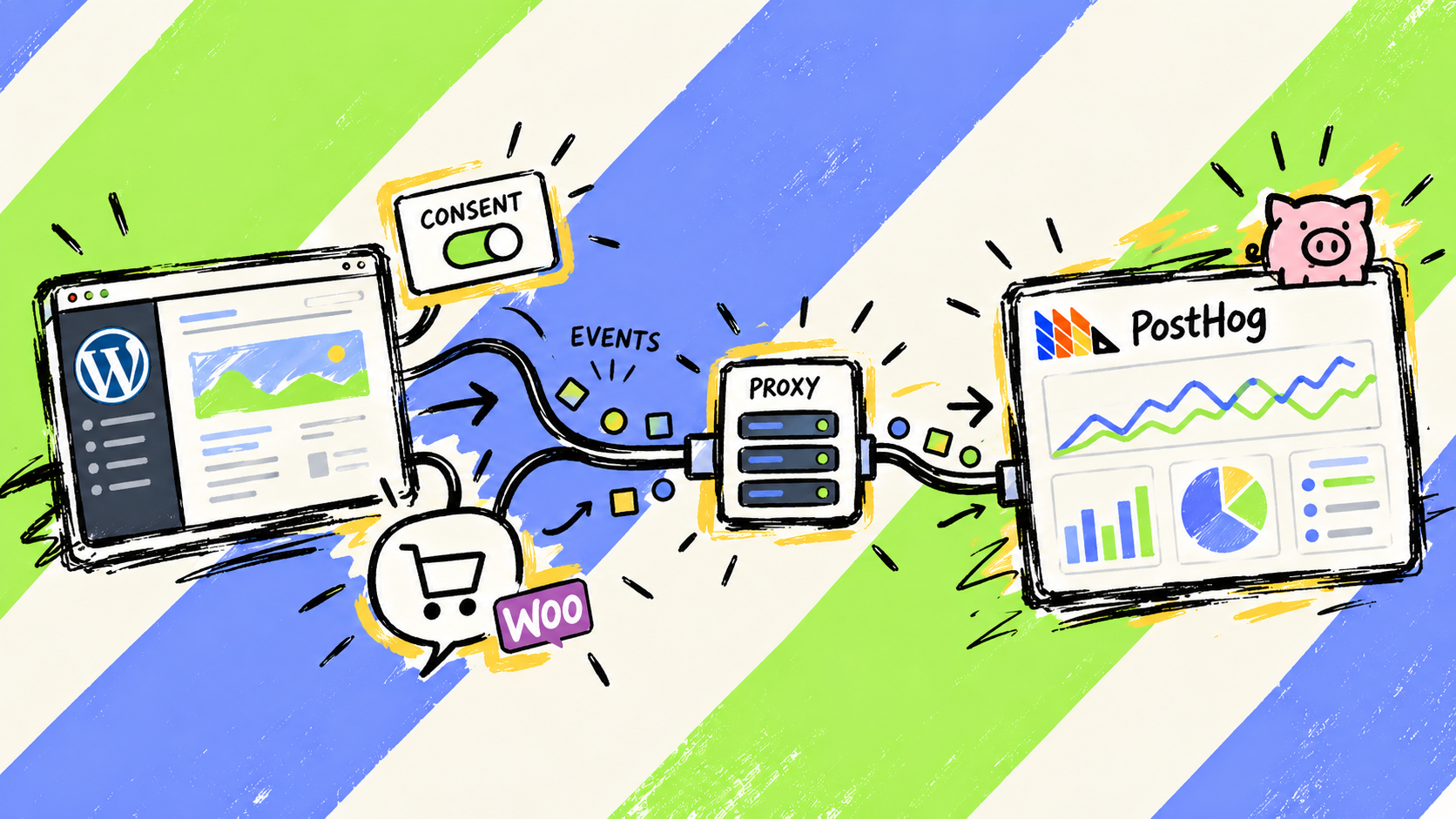
So I built Pressed Hog, a WordPress plugin that handles the parts around the snippet.
The snippet was the easy bit.
Set up the connection before exposing every setting
On activation, Pressed Hog opens a four-step wizard:
- Choose PostHog Cloud US, Cloud EU or a self-hosted instance.
- Enter the public project API key.
- Choose the tracking and consent behaviour.
- Send a test event.
The key is checked from the server against the selected PostHog host. This does not make the public project key secret. It catches a bad host or copied value while the person configuring the plugin still knows which tab it came from.
Everything remains editable later on a normal settings page. The wizard exists because a working first event is more useful than presenting every switch at once.
Consent uses PostHog’s own state
The plugin has three consent modes.
With no gate, PostHog starts capturing immediately. The built-in banner instead initializes it with opt_out_capturing_by_default. The JavaScript library still loads, but PostHog drops captures until the visitor accepts. Acceptance calls opt_in_capturing() and then identifies a logged-in user if that option is enabled.
External mode supports a named cookie and two JavaScript methods:
window.pressedHog.grantConsent();
window.pressedHog.denyConsent();
There is an implementation detail worth stating accurately. The plugin reads the external cookie when its consent script runs. It does not continuously watch for a later cookie change. If a consent manager grants permission after that point, it should call grantConsent() directly or allow tracking to begin on the next page load.
That is less magical than saying it works with any consent plugin automatically, but it describes the boundary the code actually provides.
The WooCommerce event is deduplicated, with a trade-off
Pressed Hog captures three WooCommerce events:
product_added_to_cartcheckout_startedorder_completed
The order event includes the total, currency and line items. Before placing that payload in the page, the plugin checks that the order key in the URL matches the order. Knowing an order ID is not enough to expose its contents.
It also writes _pressed_hog_tracked to the order so refreshing the thank-you page does not create another completion event.
That prevents the obvious duplicate, but it is not exactly-once delivery. The flag is written while WordPress builds the page, before the browser calls posthog.capture(). If consent has not been granted, an ad blocker stops the request or the browser closes, the event can be lost while the order remains marked as tracked.
The current implementation therefore provides an at-most-once browser attempt. That may be acceptable for directional analytics, but I would not describe it as reliable order accounting.
The proxy is deliberately narrow
Domain-based blockers often stop requests to PostHog’s ingestion hosts. Pressed Hog can instead point the JavaScript library at a first-party path such as:
https://example.com/phog/
WordPress relays those requests to the configured PostHog host. This avoids simple domain-based blocking. It does not make tracking unblockable; path-based rules can still recognise or block it.
A public relay needs constraints. The implementation:
- Uses only the PostHog host selected by an administrator.
- Allows a fixed set of first path segments, including
static,e,capture,batch,decideandflags. - Accepts only
GET,POST,HEADandOPTIONS. - Caps POST bodies at 1 MB.
- Uses a five-second upstream timeout and follows no redirects.
- Returns only the upstream content type and cache-control headers.
Those controls stop a visitor choosing an arbitrary destination and turning the endpoint into a general fetching proxy. They do not make a public PHP endpoint free of operational risk. Every accepted request still consumes the site’s PHP and network capacity, and the current implementation has no rate limit. A high-traffic site should put this work at the CDN or edge rather than sending it through WordPress.
The allow-list also becomes maintenance work. If PostHog changes the paths used by its JavaScript library, the proxy needs to change with it.
Put the useful numbers where the client already works
Most people running a WordPress site do not want another analytics interface for routine checks. Pressed Hog adds a PostHog page to WP Admin with:
- Pageviews and unique visitors.
- Change against the previous period.
- A traffic chart.
- Top pages, referrers and devices.
- Seven-, thirty- and ninety-day ranges.
The queries run server-side through PostHog’s Query API and are cached for five minutes. The day range is restricted to those three values, and the HogQL is assembled from plugin-owned query text rather than arbitrary administrator input.
The personal API key is not printed into front-end HTML. However, the repository exposed a weaker decision in my original description of its storage.
All plugin settings, including the personal API key, currently live in one WordPress option. That option is marked non-autoloaded, but the front-end tracker still calls get_option() to read the rest of the configuration. The whole array is therefore loaded during a public request. Non-autoloading prevents WordPress loading it automatically with every option; it does not keep the key out of a request that explicitly reads the option.
The cleaner design is to store the personal key separately and read it only inside WP Admin. Until then, the accurate claim is that the key stays server-side and is not emitted to the browser.
The other features are smaller
The plugin also evaluates feature flags server-side, with a shortcode and PHP helpers for gating template content. It generates QR codes in the browser, adding UTM parameters and a unique phg_qr value without sending the destination URL to a third-party QR service. Administrators and editors are excluded from tracking by default.
Those features are useful, but they are not the difficult part of the integration. Consent, order delivery, proxy boundaries and secret handling are where confident one-line claims become dangerous.
What the review was good for
Before publishing the plugin, I used separate agents to examine the proxy, headers, rendered output and analytics queries, then had the findings challenged in a second pass.
That process produced real hardening: an allow-listed proxy, method and body limits, order-key validation, escaped output and restricted admin pages. It was useful.
It was not a security certificate. Re-reading the current repository for this article still exposed two claims I could not defend: that the order event was reliably deduplicated without loss, and that a non-autoloaded settings array kept the personal key out of public requests.
That is what “properly” has to mean here. Not that the first version was perfect, but that each boundary is explicit enough to inspect, test and correct.