scribbling · build
Merge everything. Ship nothing.
How one person runs a release process with 62 feature flags.
I have 62 feature flags in a side project: 37 on mobile, 22 on the website, and 3 that both ends read. The project is Whimsee, a GPS discovery app I built on evenings because I wanted it to exist and wanted to learn how. When I wrote most of the flags it had no users. It’s in both stores now, and the number has gone up rather than down.
The usual picture of a feature flag is a canary rollout: a new checkout shown to five percent of a million people while someone watches the error rate. I had nobody to roll out to. So what were mine for?
Engineers split flags into roughly four kinds in Pete Hodgson’s write-up: release toggles let unfinished code sit on main; experiment toggles run tests; ops toggles switch off things that misbehave; and permission toggles decide who sees what.
Most of mine were release toggles, with some ops toggles mixed in. I’d arrived at trunk-based development by trial and error without knowing the name for it.
I’m not a traditionally taught developer. I have an illustration degree and a day job in comms, and this is one of the things I build to stay interested. I built the process first and found the terminology later. The part I hadn’t built was a reliable way to remove the flags again.
Here are three of them, what an audit found in the pile, and the removal rule I have now.
Ship everything. Flip what’s live.
Whimsee is an Expo app, and compatible JavaScript changes can go out over the air without a new store build. For those changes, main is effectively production: there isn’t a staging environment where unfinished work can sit.
My answer was a flag on almost every feature. Not only the risky or large ones. Each feature could be turned on, turned off, and turned on again without another build. The code went out with the merge; the feature waited until I said so.
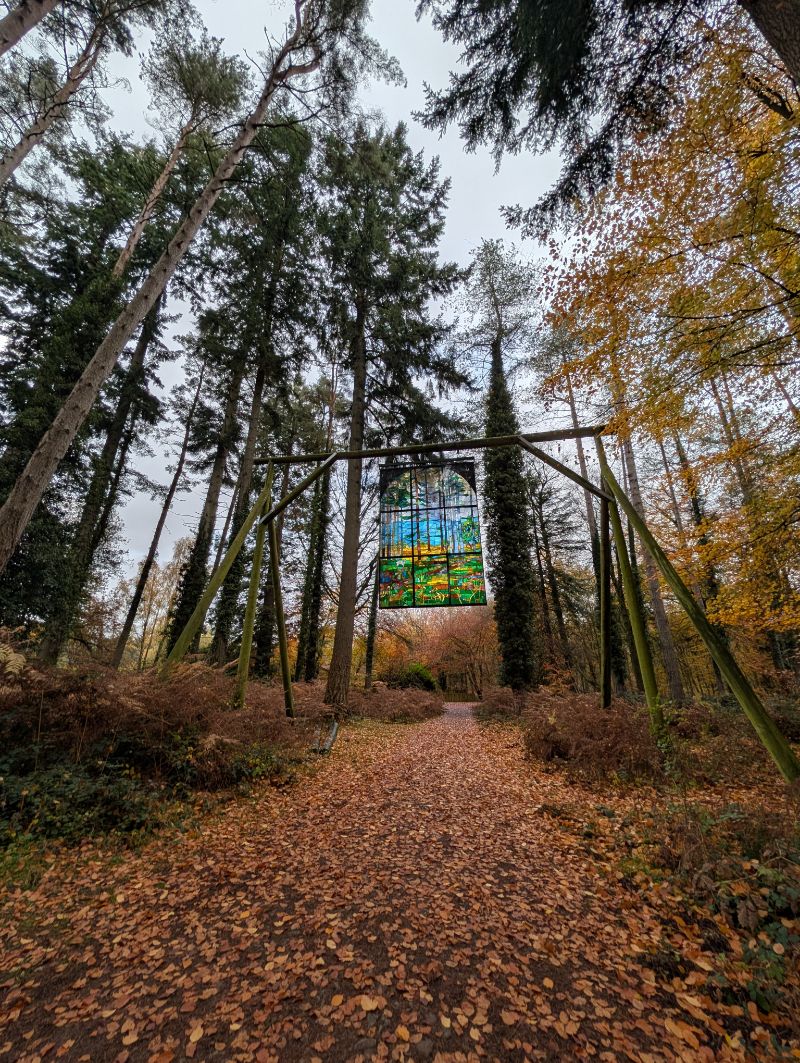
I wanted to test on my own phone, in the real build, standing in an actual wood. Once the flag separates “code on main” from “thing a person can see”, branches stop being where work in progress lives.
Sixty-odd flags need a list, so there’s a registry file in the repo. Each entry explains what the flag gates, which end reads it, and what the code does if PostHog can’t be reached. Not every flag has an entry, and only about a third say when they should come out. When I say registry here, I mean that file, not PostHog’s flag list.
A flag lands faster than an update
By default, an Expo over-the-air update downloads when the app is cold-started and runs after the next restart. In practice, someone may need to close and reopen the app twice: once to download the new bundle, and again to use it.
I could fetch the update and call reloadAsync, but that would restart the app shortly after launch. Whimsee is used outdoors, often with poor signal, so I chose not to put a network fetch in the way of opening it.
In my setup, a PostHog flag refreshes the next time the app opens. That’s one open rather than two, without asking anyone to read release notes or restart the app again.
Test on yourself, then on one other person
Before Whimsee had users, I flipped flags straight to 100%. A flag was a switch in a dashboard that saved me rebuilding whenever I wanted to see how a new map or screen felt on a real phone.
Once people were using the app, I targeted my own person ID. I could run the unreleased feature inside the same production build as everyone else, with no separate test build. When an early user suggested a feature, I targeted his ID and put it on his phone before anyone else’s.
After the public launch, I used the same flags for a group of testers who had agreed to see broken things. The code and flag stayed the same; only the audience changed.
I checked the dashboard while writing this and found that none of the 64 flags there targets a person or group now. Every one is at 100%, at 0%, or switched off. I dismantled each test audience when it had done its job without noticing that I had a process.
Three flags, three different jobs
| Flag | What it gates | Fallback | What happened |
|---|---|---|---|
blog_trail_lantern |
“Light the lantern” card on a field note | Off | Finished and merged, but held at 0% until the trail is planted |
intro_redesign |
New onboarding copy and swipe | Off | Created, ramped to 100%, and deleted twenty minutes later |
photo_compression |
Downscale photos before the 5MB check | On | Intended as a kill switch, but the build died before JavaScript ran |
A flag can hold back a promise
blog_trail_lantern wasn’t protecting against a bug. The finished card sits at the foot of a field note and offers a QR code and button for walking the trail. It merged to main on 22 August, then stayed at 0% because the trail hadn’t been planted and the Forest of Dean Local History Society hadn’t confirmed that I could write about it.
Without the flag, I could leave the code on a branch while main changed underneath it, or show someone a route to a wood where nothing had been planted. The flag let the code move with main while the promise waited on a person.
I thought the lantern was live until I checked for this post. Its activity log contains one entry: created at 0%, never ramped. The article is still in drafts. The registry described the flag; it didn’t prove what had happened to it.
A flag can undo a bad twenty minutes
On 23 July I redesigned the intro screens. New copy, new swipe. It went out behind a flag, I put it live, and it felt wrong: a series of statements rather than a journey into the app.
The activity log says I created the flag at 12:54, ramped it to 100%, and deleted it at 13:14. It was live to everyone for fourteen of those twenty minutes. The flag didn’t buy me a private trial. It let me remove the feature without waiting for another update, then delete the flag with it.
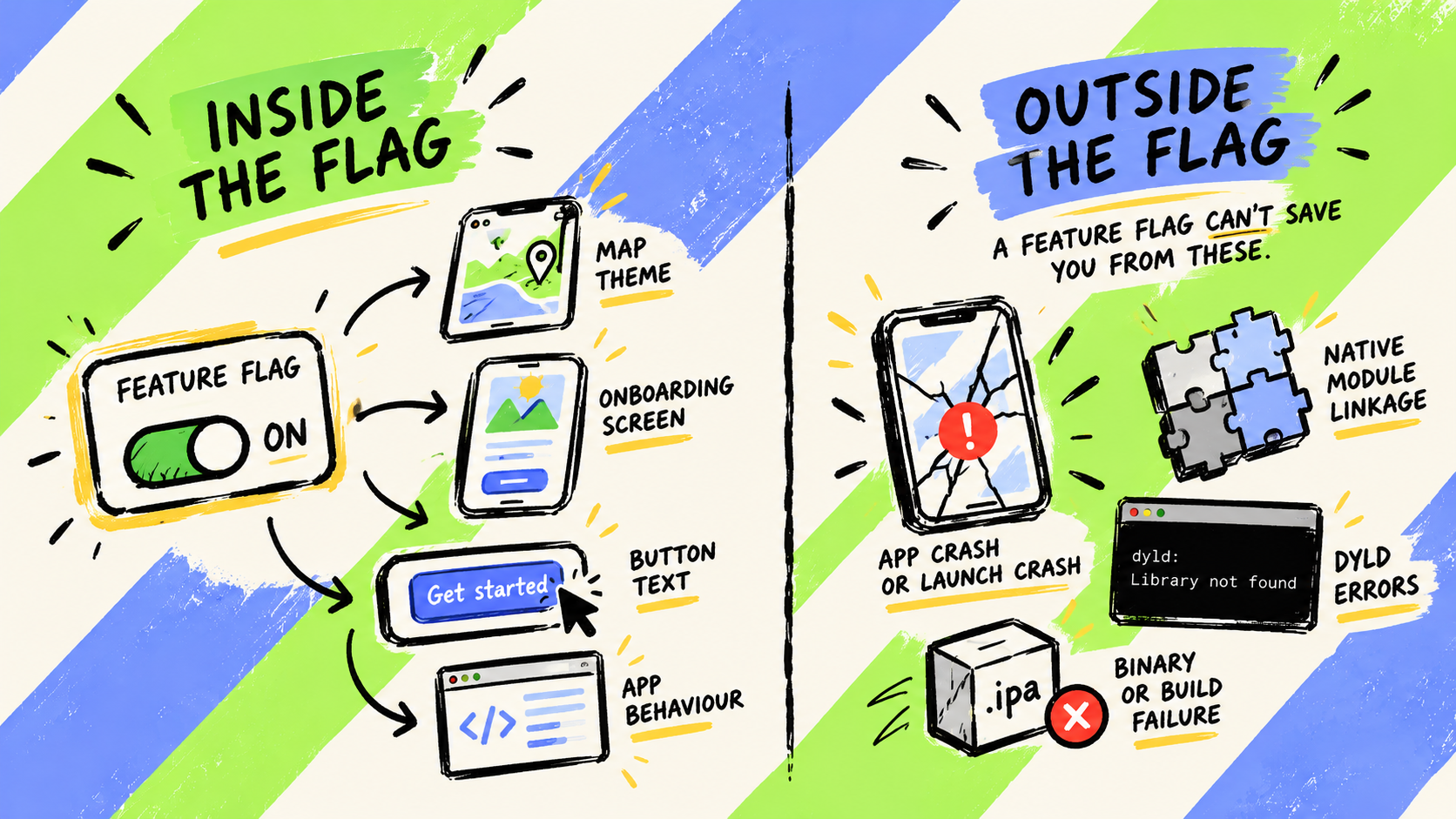
A flag can’t gate native linkage
photo_compression downscales a photo before the 5MB check. It shipped behind a kill switch, on by default, with a note telling me to switch it off if the compressor misbehaved.
The compressor did misbehave. In that build, expo-image-manipulator referenced symbols that the installed expo-modules-core didn’t export. Version 0.2.0 build 5 died at launch on every device before JavaScript ran. PostHog was never reached, so the flag was never read.
The switch made adding a native module feel reversible when it wasn’t. I now launch any build containing a new native module through TestFlight before submitting it.
Who shouldn’t do this
- Teams with a staging environment and a release train. You’re probably running a tidier version already, with fewer flags.
- Anything that must switch off immediately. My flags change on the next fetch, not the dashboard click.
- Anyone who won’t write down when a flag comes out. Which, as it turns out, included me.
Off is not gone
I had a clear rule for adding flags: almost every feature got one so I could test it, choose when it became visible, and switch it off without another build.
I thought I had no rule for removing them. Then I read the descriptions and found plenty of exit conditions, all ending too early. The App Review demo door said to switch it off after approval. testers_page said to retire it after the test round. blog_trail_lantern said not to ramp until the trail was planted and the society agreed.
Those notes said when a flag should be switched off, not when the read and its surrounding if statement should be deleted. Apple approved the app and I switched off the demo door exactly as instructed. The app has still asked PostHog for it on every sign-in since.
The descriptions had drifted too. keep_light said “currently 0%, raise to try” while sitting at 100%. The testers_page round had ended, but the flag remained. I had started reading notes to future me as if they were current state.
So I asked an agent to audit the code rather than the registry:
Prompt I used: Pull every feature flag from the code, not from the registry file. The registry describes flags, it doesn’t prove them. For each one tell me what it gates and whether there’s still a live read anywhere. Then tell me which ones are dead.
It found four dashboard flags with no reads in the current code; one retired page whose fallback was set to on, meaning deleting the flag would bring the page back; two flags in the code that had never reached the registry; and one registry entry describing a state the code had left three commits earlier.
That was 8 of 63 flags where the registry and code disagreed. After deleting two, it is now 6 of 62.
PostHog’s stale filter found four more: two partner workshop pages, the lantern grounds chooser, and an old waitlist page. All were web pages that almost nobody had opened in a month. That’s a different test. The dashboard can show that nobody has requested a flag lately. Only the code can show that nothing is able to request it.
Two other flags show why you need both views.
photo-glimmers had spent ten weeks at 100%, although its read had already left main. PostHog still logged eleven calls in the previous fortnight. The likeliest explanation is a phone running an older bundle: the read was dead in current code but alive on somebody’s device.
mobile_journal_theme did the opposite. The app read it for nine days, but the flag never existed in PostHog, so it silently used the fallback every time. PostHog’s VS Code extension can detect keys in code that don’t exist in the project. I found that after the fact.
Here is the dashboard as it stood:
| State | Flags |
|---|---|
| On, 100% | 58 |
| On, 0% | 2 |
| Switched off | 4 |
| Partially rolled out | 0 |
| Targeted at a person or group | 0 |
That is 64 flags in the dashboard against 62 with live reads in the current code. The two extra flags are dead on main.
The removal rule
Every new flag now gets a type, and the type decides how it dies.
| Type | Removal rule |
|---|---|
| Release flag | Once it has sat at 100% through a store release, remove the code read, then delete the flag. |
| Temporary kill switch | Remove it with the release flag once the rollout is proven. |
| Permanent control | Mark it permanent and review it quarterly. |
The order matters. Deleting a flag first sends every remaining read to its fallback.
Whatever the type, the exit condition gets written down when the flag is created. The exit date means deletion, not merely switching it off.
Flags that fall back to on get reviewed first because they fail open when a phone can’t reach PostHog. A fallback of on is a claim that the feature should work without the flag service, and that claim needs checking.
Fifty-eight switches, or fifty-eight settings
Fifty-eight of 64 flags were at 100%. Nothing was targeted, and nothing had changed since 25 August. My first instinct was to call that configuration rather than release: a switchboard nobody was touching.
But an OTA fix may take two opens to reach a phone, while a flag refresh takes one in my setup. For JavaScript behaviour, those 58 flags are still my fastest off switches. photo_compression marks the boundary: a JavaScript flag cannot rescue a build that fails before JavaScript runs.
What I actually have is three piles wearing the same label: six permanent controls, some kill switches I might need on a bad day, and a heap of release flags that finished their job weeks ago.
If you’ve got a better removal rule, I want it. Reply here, or find me in the PostHog Discord as Sea.
Whimsee is a free side project. The flags are PostHog. The audit was Claude Code reading the repo, and the calls about what to do with what it found were mine. Next time I’d start with PostHog’s stale filter and its VS Code extension, which would have got me a good part of the way there.